OnGuard/B.A.S.I.S: Holiday Access Setup for Readers and Cardholders
This article explains how to configure timezones and reader settings in OnGuard/B.A.S.I.S to control cardholder access during holidays.
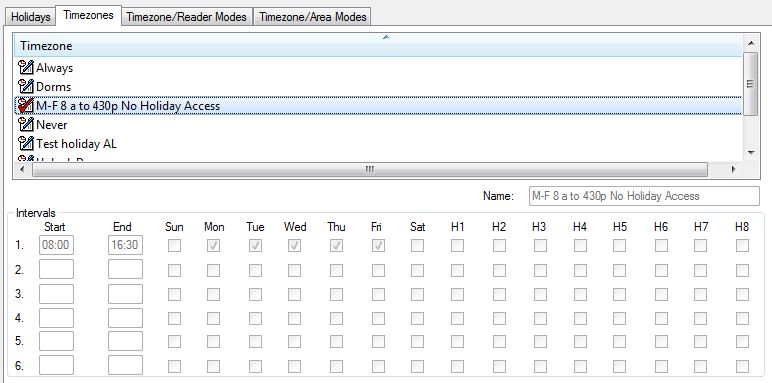
Setting up Timezone for No Holiday Cardholder Access During HolidaysWhen you select “M–F 8a to 4:30p No Holiday Access” in the Timezone tab, the H1–H8 boxes should remain unchecked. This timezone should be assigned to readers that cardholders should not have access to during holidays.
|
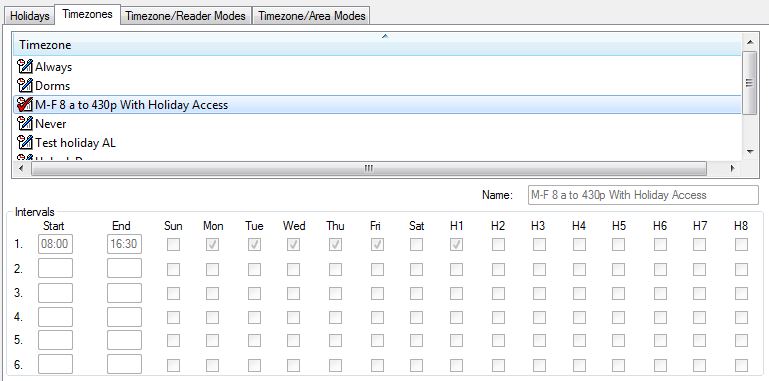
Setting Up Timezones for Cardholder Access to Readers During HolidaysWhen you select “M–F 8a to 4:30p No Holiday Access” in the Timezone tab, check the H1–H8 boxes that correspond to the holidays during which cardholders should have access.
|
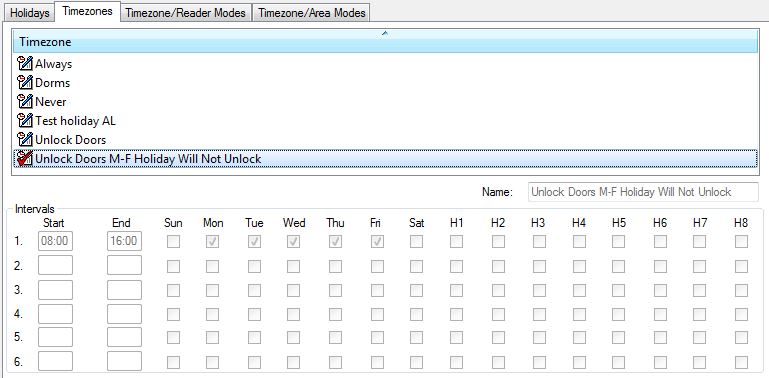
Set Up Readers to Ignore Timezone Reader Mode Changes During HolidaysWhen you select “Unlock Doors M–F Holiday Will Not Unlock” in the Timezone tab, leave the H1–H8 boxes unchecked for timezones assigned to readers that should not unlock on holidays.
|
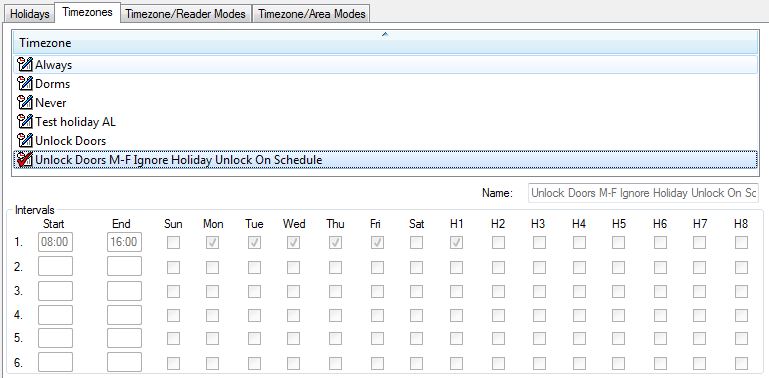
Set Up Readers to Follow Timezone Reader Mode Changes During HolidaysWhen you select “Unlock Doors M–F Ignore Holiday Unlock on Schedule” in the Timezone tab, check the H1–H8 boxes for timezones assigned to readers that should continue to follow scheduled timezone reader mode changes on holidays.
|
Applies ToAll versions of BASIS/OnGuard Software |